CS5160 · Project 1 · Sept 2026
Friday Night Pixels
Pinhole camera, rasterized display, aka a field goal game on a fake 320×200 screen
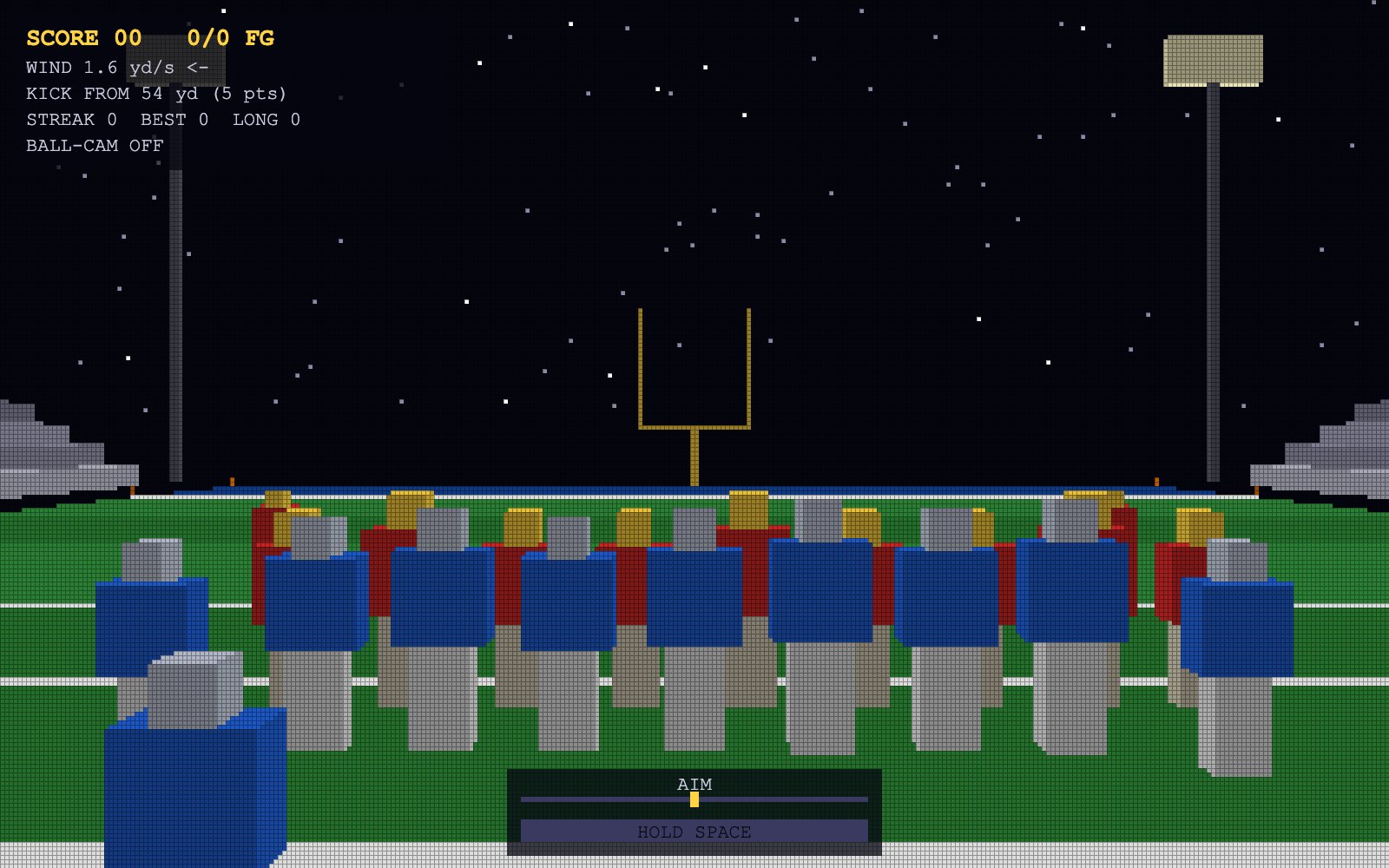
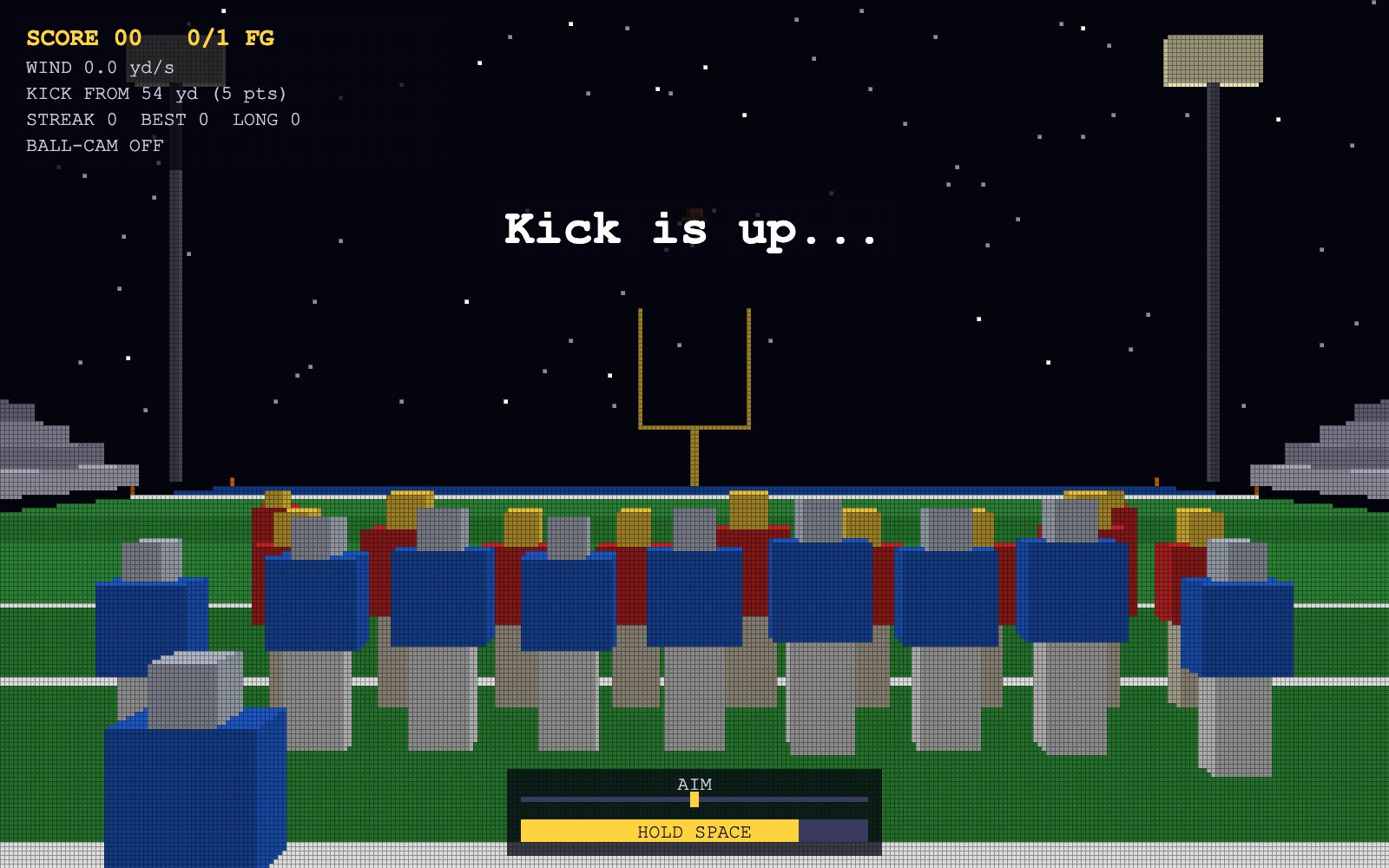
For Project 1 I made a field goal game. You're the kicker, so you line it up, check the wind, time the power meter, and try not to shank it in front of the whole stadium. It's all plain JavaScript on an HTML canvas, no WebGL and no libraries, so everything on screen is something my code had to figure out how to draw. There are three renderers and you can flip between them with the 1, 2 and 3 keys: a high-res wireframe, a 320×200 "old computer" display with my own line drawing, and a filled-triangle version with a depth buffer.
01 · Design
The plan
What I wanted it to look like and how it should play, before I wrote any code.
How it should look
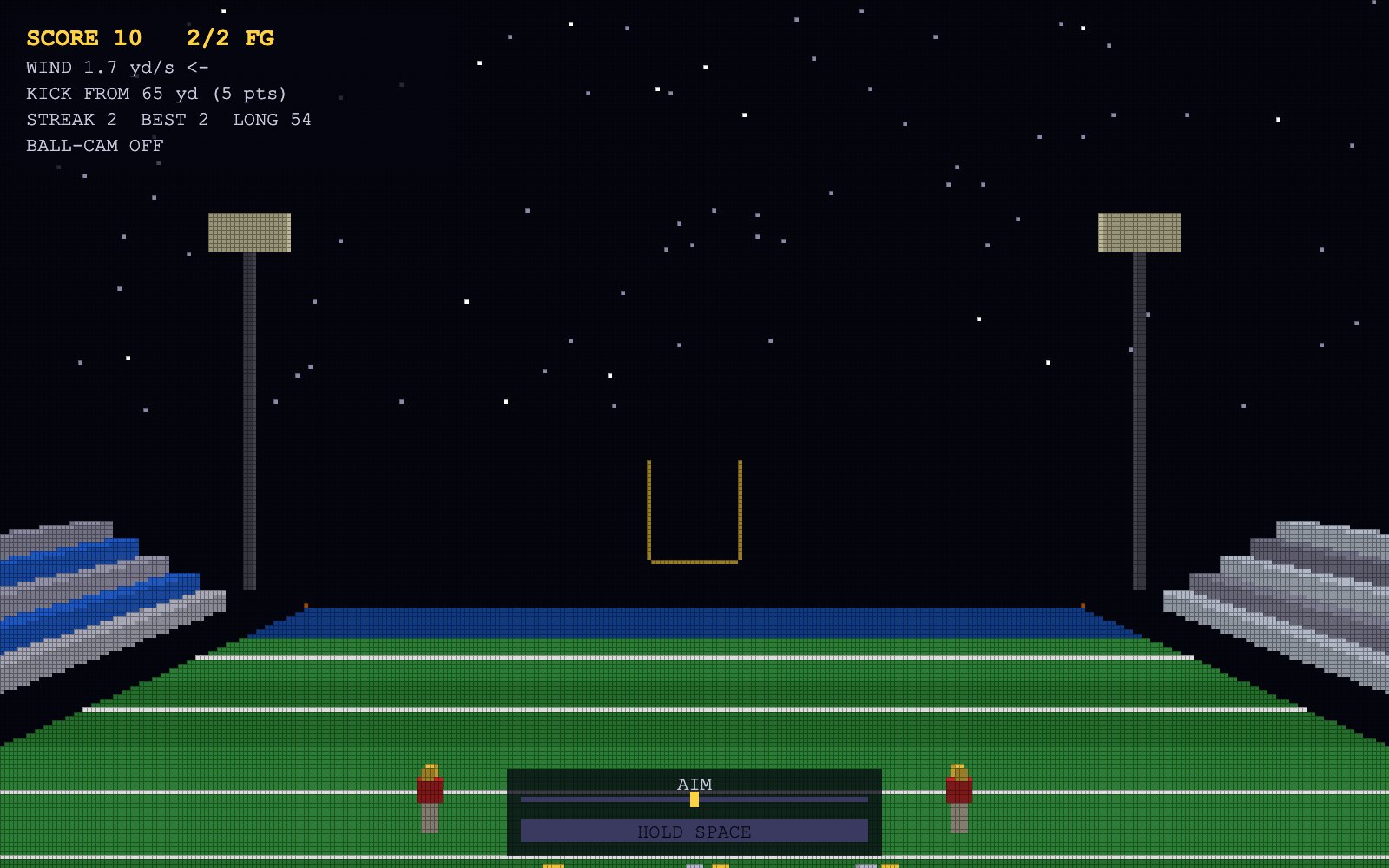
Friday night lights. Dark sky with stars, a striped field with yard lines and end zones, yellow goal posts, bleachers packed on both sides, light towers in the corners, and both teams lined up for the kick. It had to look decent as thin lines at 1600×1000 and still obviously be a football field once it's chunky 5×5 pixels at 320×200.
How it should behave
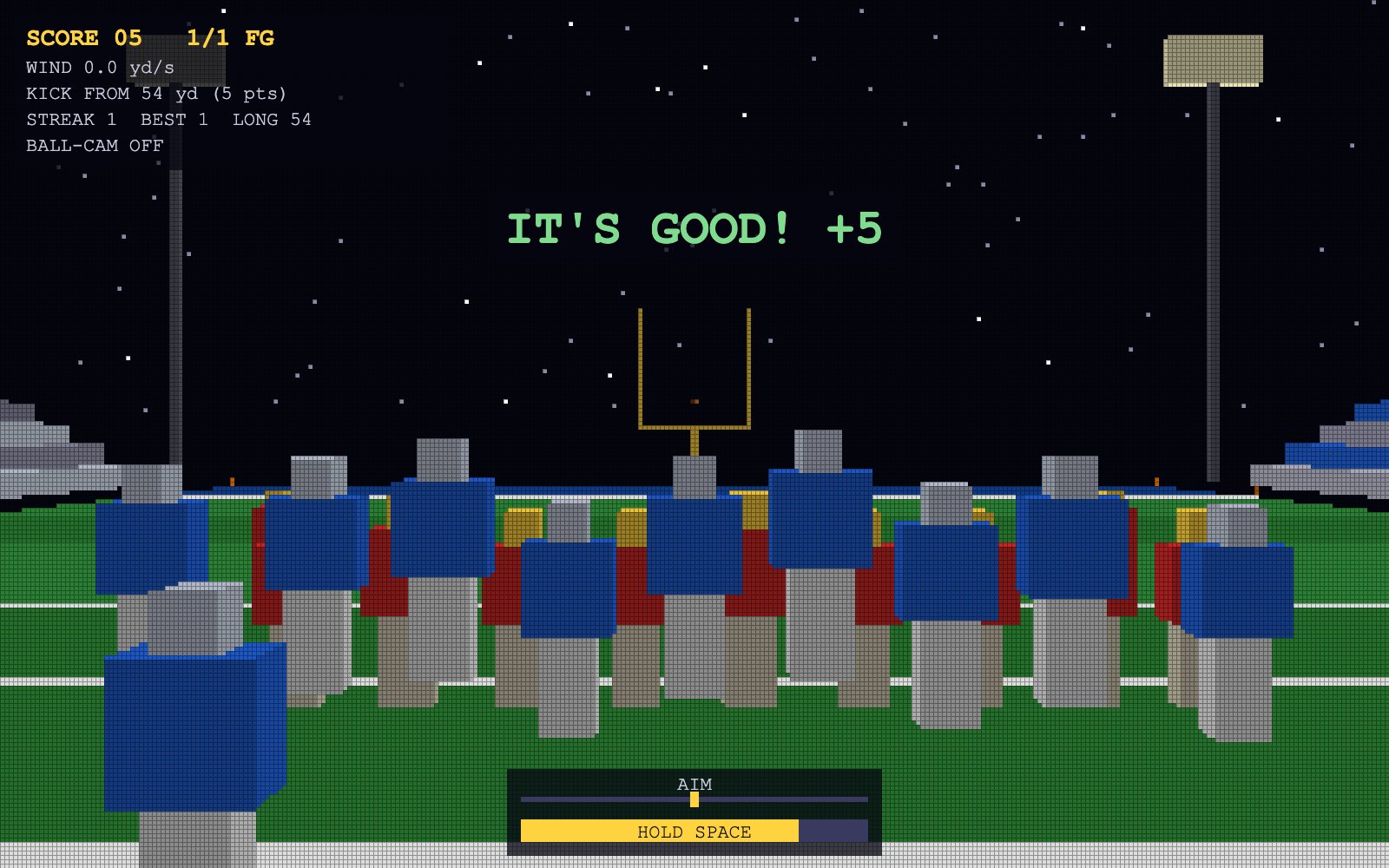
You're the kicker and also the camera. The camera can't rotate (that's a project rule), so you aim by sliding left or right and pick your distance by moving up or back. Space kicks. The ball flies on an actual projectile arc, wind pushes it sideways, and the game tells you how it went: good, wide left, wide right, under the crossbar or short. Make it and your team starts jumping and the crowd goes nuts. R resets everything.
A few decisions I made early
- Everything is in yards. The field is 53.3 yards wide, the crossbar is 3.33 yards up and the uprights are 6.17 yards apart, same as a real field. So if a kick is good in the game, it would've been good in real life (minus spin and all that).
- One scene, three renderers. All three modes use the same models and the same camera. When you switch, the only thing that changes is how it gets drawn, which makes it easy to see what each technique actually does.
- Build it once, reuse it a lot. Players, goal posts, stands and coolers are each built one time around the origin, then placed around the field with a position and a scale. Linemen are scaled up to about 1.1 to 1.2 and skill guys are around 0.95, because linemen are huge.
02 · Features & Controls
Playing the game
Open the live app, click on the canvas so it picks up your keys, and go.
| Key | What it does |
|---|---|
| ← → | Move the camera left / right (x) |
| ↑ ↓ | Move the camera forward / back (z). This changes the kick distance. |
| W S | Raise / lower the camera (y) for a higher view |
| A D | Aim the kick left / right to fight the wind |
| Space | Hold to charge the power meter, release to kick. Above 90% power the kick can shank. |
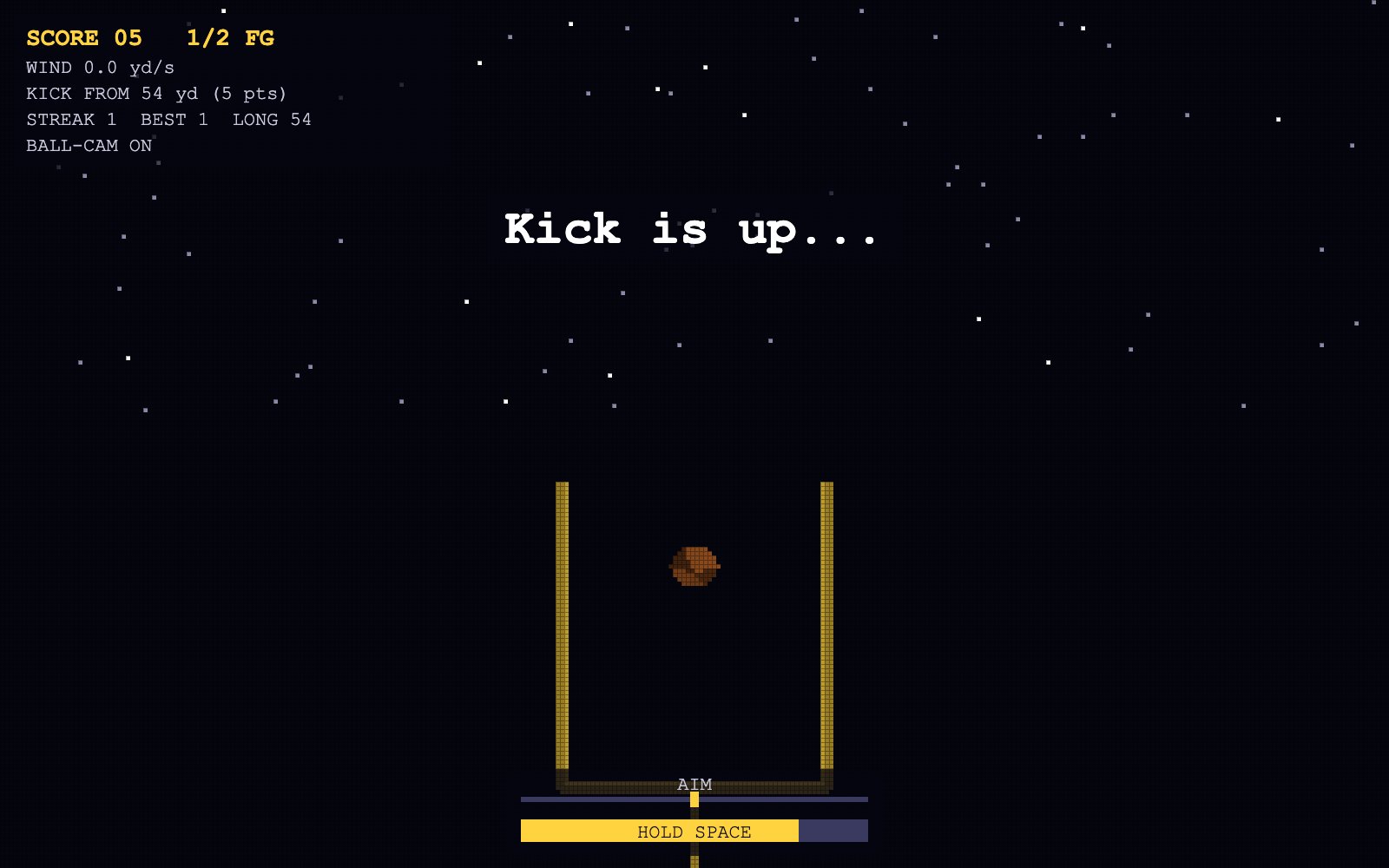
| F | Ball-cam: the camera follows the ball in flight (translation only) |
| C | Cycle team color schemes |
| R | Reset the camera, objects and score to the initial scene |
| 1 2 3 | Switch renderer: wireframe 1600×1000 / raster lines 320×200 / filled triangles 320×200 |
| G | Toggle the pixel-grid outline (modes 2–3) |
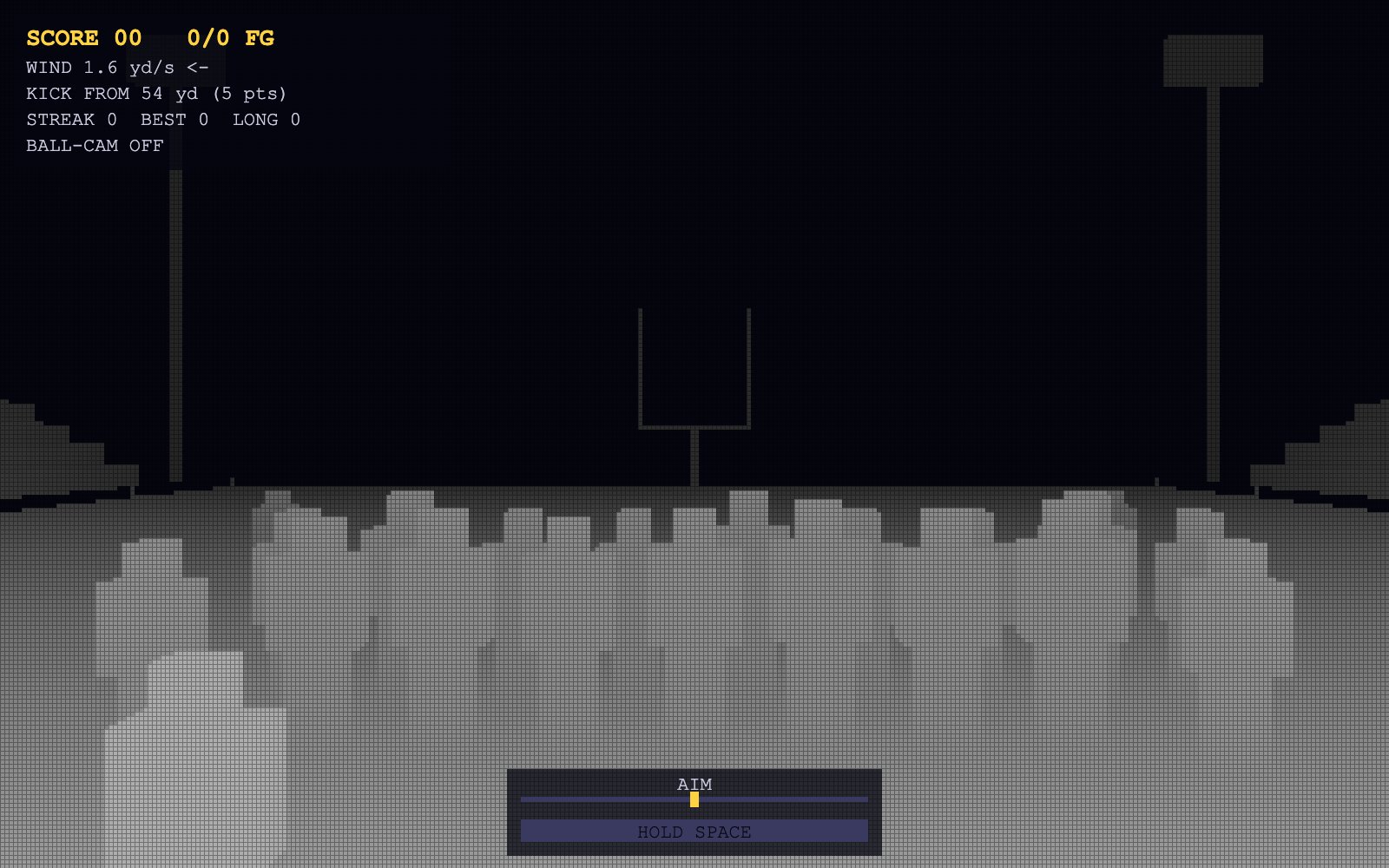
| Z | Show the depth buffer as grayscale (mode 3) |
Scoring. A make is 3 points, or 5 if it's from 50+. The HUD keeps your score, makes/attempts, streak, best streak, longest make, wind and distance. Clip the upright and you get a DOINK!
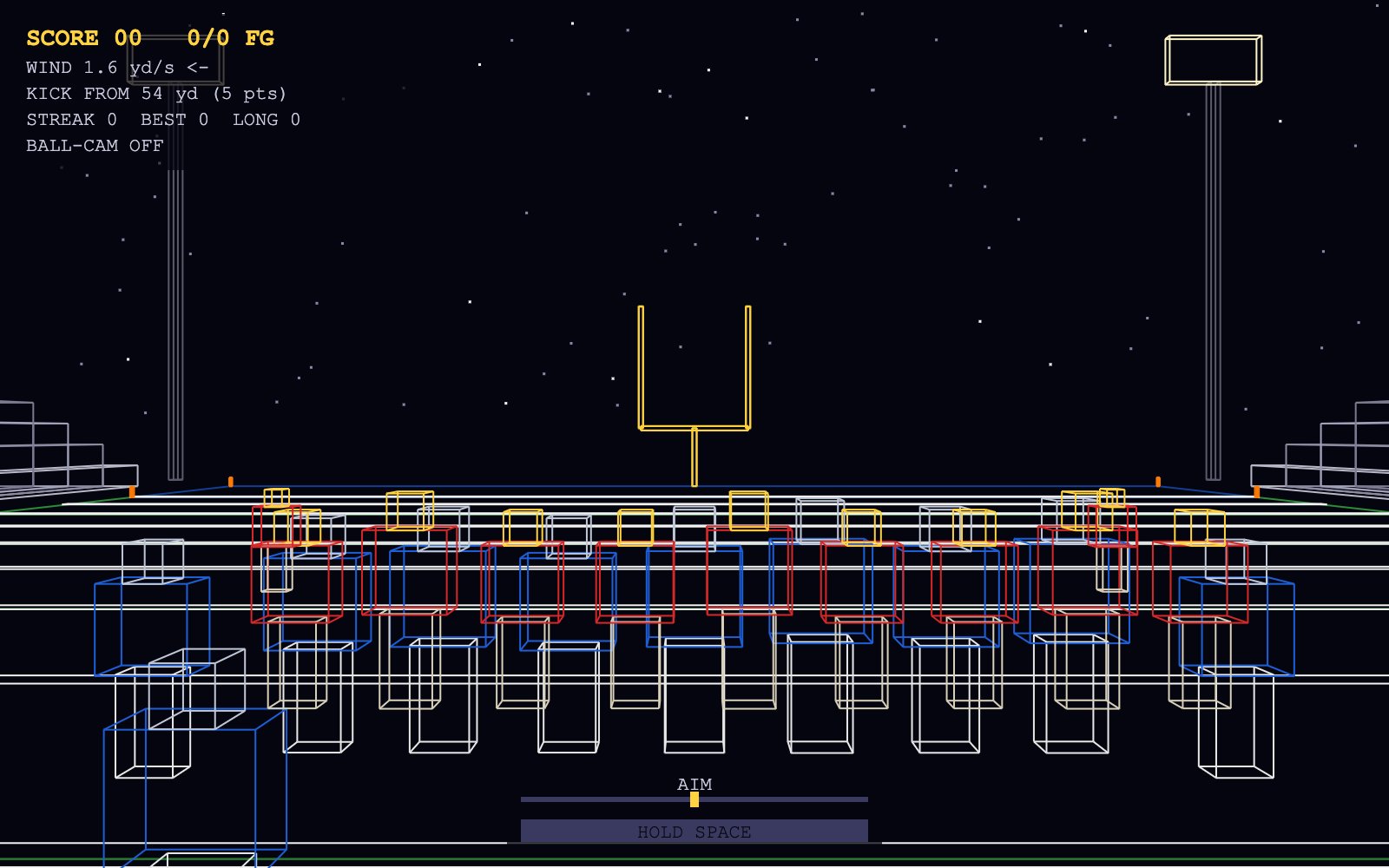
lineTo at 1600×1000.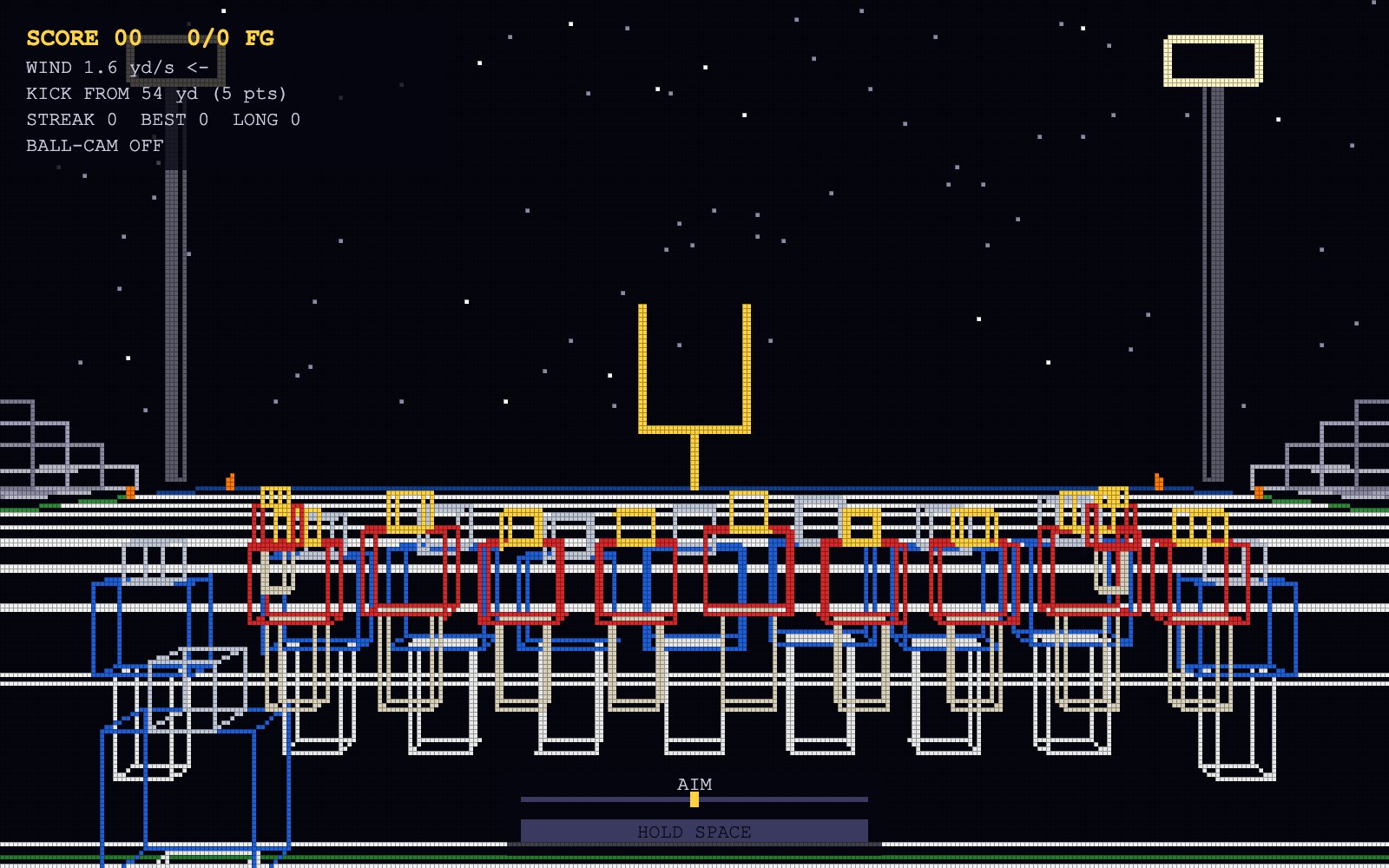
03 · Implementation
How it actually works
Here's where the stuff from class shows up in the code, roughly in the order it runs every frame.
Objects are just vertices, edges and triangles
Every object type is a model. It's a list of points centered at the origin, a list of edges (pairs of points) for
the wireframe modes, and a list of triangles (three points each) for the filled mode. Each edge and triangle also has a color tag like
"jersey" or "helmet". Most of the models are stacks of boxes from one helper function, and each box is
8 vertices, 12 edges and 12 triangles (2 per face).
// Object types: field segment, yard line, goal post, player, football,
// cube (the Level 0 cube, used as sideline coolers), pylon, bleachers, light tower, ball shadow
const PLAYER = newModel("player");
addBox(PLAYER, 0, 0.45 - PL_CY, 0, 0.5, 0.9, 0.3, "pants");     // legs
addBox(PLAYER, 0, 1.3  - PL_CY, 0, 0.8, 0.8, 0.4, "jersey");    // torso + shoulder pads
addBox(PLAYER, 0, 1.87 - PL_CY, 0, 0.35, 0.35, 0.35, "helmet"); // helmet
Instances: move it and scale it, no rotation
An instance is a model plus a position, a scale and its colors. To put a vertex in the world you scale it and then move it. Then to get it relative to the camera you just subtract the camera's position. Since the camera never rotates, that subtraction is literally the whole view transform.
function toCamera(v, inst) {
  return {
    x: v[0] * inst.scale + inst.pos.x - camera.x,
    y: v[1] * inst.scale + inst.pos.y - camera.y,
    z: v[2] * inst.scale + inst.pos.z - camera.z,
  };
}
The pinhole camera
The camera looks down +z. Using similar triangles, a point at (x, y, z) in front of the camera lands on the image at x/z and y/z.
Multiply by a focal length F (I get it from a 70° field of view) and that's in pixels. Then shift by half the screen
so (0,0) is the middle, and flip y because screen rows count downward. The exact same function works for both screens; only
F and the size change (1600×1000 vs 320×200).
Stuff farther away has a bigger z, so it gets divided down and looks smaller. That's the whole reason perspective works, and it's why the goal posts look tiny from 50 yards and the field lines squeeze together toward the horizon.
Stuff behind the camera
Dividing by z falls apart once z hits 0 or goes negative. Anything behind the camera flips upside down and shoots off the screen. So before projecting, every edge gets clipped against a near plane at z = 0.3. If both ends are behind it, the edge is skipped. If only one end is, that end gets moved up to where the edge crosses the plane. Triangles do the same thing (Sutherland-Hodgman clipping), which can turn a triangle into a 4-sided shape that gets split back into 2 triangles. I also added basic collision so you can't walk the camera into a player or a goal post.
Level 2: drawing my own lines
The fake screen is a 320 × 200 2D array of colors that starts out filled with the background color. Instead of
ctx.lineTo, each edge gets drawn with the incremental line algorithm from class. If the slope is
between -1 and 1, it steps one pixel at a time across and adds the slope m to the height each step. If the line is steeper, it flips
that around and steps down instead, adding 1/m, otherwise steep lines come out as dotted gaps. It samples at the center of each
pixel. Lines also get clipped to the screen first (Liang-Barsky) so it doesn't loop over thousands of pixels that are off screen.
if (Math.abs(dx) >= Math.abs(dy)) {            // shallow: step in u
  const m = dy / dx;
  let v = y0 + m * (uStart + 0.5 - x0);
  for (let u = uStart; u <= uEnd; u++) {
    setPixelColor(u, Math.floor(v), color);
    v += m;                                      // incremental step
  }
} else { /* steep: same idea, step in v and add 1/m to u */ }
Once all the edges are in the array, the draw step paints every pixel as a 5×5 rectangle on the real 1600×1000 canvas. Press G to turn on the grid so you can see each pixel.
Level 3: which pixels does a triangle cover?
For each triangle, it projects the 3 corners, grabs their bounding box (min and max u and v, kept on screen), and checks the center of every pixel in that box. The check uses barycentric coordinates from areas. Each weight is the area of the little triangle opposite a corner divided by the area of the whole triangle. If all 3 weights are 0 or more, the pixel is inside. That same signed-area formula is also the "half-plane" test from class, and dividing by the signed area means it works no matter which way the triangle's points go around.
const area = edgeFn(p0, p1, p2);
const w0 = edgeFn(p1, p2, P) / area;             // weight of p0
const w1 = edgeFn(p2, p0, P) / area;             // weight of p1
const w2 = 1 - w0 - w1;                          // weights sum to 1
if (w0 < 0 || w1 < 0 || w2 < 0) continue;        // outside the triangle
What's in front? The depth buffer
There are hundreds of triangles overlapping, so the painter's algorithm would mean sorting all of them, and it still breaks when triangles overlap weird. So I used a z-buffer instead, which is one depth value per pixel that resets every frame. The same barycentric weights from the coverage test also blend the depth across the triangle. It blends 1/z instead of z, because after the perspective divide 1/z is what changes evenly across the screen, so the depths come out right. A pixel only gets drawn if it's closer than what's already stored, which means the triangles can be drawn in any order. Press Z to see the buffer.
Colors and shading
Every surface gets its color from its instance, like team jerseys, the turf stripes or the yellow posts. Without shading every box would look like a flat sticker, so each triangle gets a normal from the cross product of two of its edges, and its brightness depends on the dot product of that normal with a fixed light direction. That's basic flat (per-triangle) Lambert shading.
Other stuff I added
- Stars that never move. The stars are stored as directions instead of points, so walking around doesn't shift them at all, which is how real stars work since they're basically infinitely far away. In the pixel modes they sit at depth 0, so anything drawn covers them.
- Ball shadow. Just a flat square on the grass right under the ball. At 320×200 it's the easiest way to tell how high the ball is.
- Faster pixel drawing. Pixels next to each other in a row that are the same color get painted as one wider rectangle. It looks exactly the same but it's about 10x fewer canvas calls, and it took Level 3 from about 18 ms to about 5 ms a frame.
04 · Future work
What I'd do next
- Let the camera turn. Add rotation so you can aim by turning your head instead of sliding sideways. That needs a real view matrix.
- Back-face culling. Make every model wind its triangles the same way and skip the ones facing away. That's about half the triangle work gone.
- Smoother edges. Try the coverage and diamond-rule line methods from class, and a top-left fill rule so triangles that share an edge don't both draw it.
- Better shading and textures. Blend colors across each triangle instead of one flat color, and put yard numbers and end zone text on the field.
- Make it more of a game. A spinning ball, crowd noise, a chance of getting the kick blocked, and touch controls so it works on a phone.
05 · Demo
Video walkthrough
Me walking through the three renderers, the controls, and the graphics concepts.
Can't see it? Watch on YouTube
06 · AI use
How I used AI
I came up with the concept and design and built the graphics side myself, including my own rasterizer, working from the class slides. I used Claude (Anthropic) as a coding assistant: it wrote the larger portion of the rest of the code, like the gameplay (kicking, wind, scoring, ball-cam), the stadium models, and the HUD. I tested everything, directed the changes, and swapped in my own rasterizer code, so I can explain how the pipeline works.
07 · Links